Use Your Android Phone as a Wireless Hub for FREE! (Updated)
For you all who have an Android OS phones I have a something good for you! If you have a data plan on your phone you can share the internet from your phone with other wifi devices. That means internet wherever you go. Cell carriers charge $30 or more for this service. Thanks to these 2 easy apps it’s free. First and foremost your phone needs to be rooted which allows the use of the 2nd app. Rooted basically means having access to a folder named “root” in your phone’s OS. Accessing the root for Android would be the equivalent to jail-braking an iPhone. To truly root your phone permanently there are options that range from rewriting code to following steps with rooting apps. Enter z4root! This app is one of the easiest of them all but it’s not permanent. You hit a button in the app and you’re rooted until you restart your phone (hit the button again to regain root). Then comes the wifi tether for root users app. It’s also easy to use and has the usual options for a wireless router.
Step 1. download and install the z4root and the wifi tether app files from below. (you can access the blog from your phone. It’s a direct downloads)
Step 2. open z4root and hit the “temporary root” button. It will take a few seconds.
http://dl.dropbox.com/u/17911061/z4root%201.3.0.apk (copyright 2010 RyanZA)

Step 3. open wireless tether.
http://dl.dropbox.com/u/17911061/Wireless%20Tether%202.0.5.apk
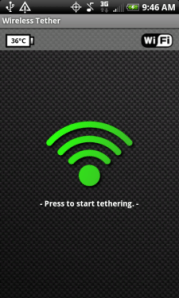
4. When it opens select the menu button on your phone. go to settings and change the SSID. That will be the name of your network.
5. When you search for and connect to your network from wifi device, you will have to accept your device connection. There will be a shielf with an red x. Click the red x and accept with a check mark, your wireless device.
That’s IT! ——-> if you have any questions leave it in the comments or send me an email.. theurbantech@gmail.com
(disclaimer!!!! use at your own risk) 🙂
If you want a traditional true root, I have a homeboy who works remotely…just let me know lol
(Update) More and more phones might not be rootable with z4 root, if that’s your case then try SuperOneSlick by shortfuse. It’s an easy app that roots your phone from your computer with basically one click. Find it HERE (the download is after the version changes info)
A Rival to the iPod Touch by Samsung
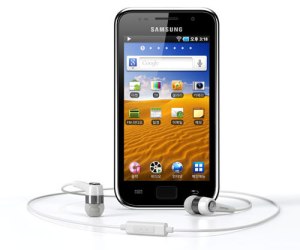
Samsung is busy working on a new player called the Samsung Galaxy Player. It’s debuting at a gathering of industry tech heads in Vegas called the Consumer Electronics Show. It is said that is will rival the iPod Touch giving Apple a run for it’s share in handheld devices. The Galaxy Player will run on Android 2.2, and will include a 1GHz processor. It will have a 4.4″ full color touch screen, high definition video playback, as well as Bluetooth 3.0, wi-fi, and both a front facing and rear facing cameras. The device will have the Android Marketplace. Just like the iPod Touch is a non cell phone of the iPhone, this device is the non cell phone of the Samsung’s Galaxy S series phones. One thing that is unknown about this device is the price which could very well help with competing against Apple’s product. Stay tuned….
{iOS}{Android} Angry Birds
Angry Birds is amazingly fun. People say it is addictive. By experience, I must say it is quite habit forming. Basically the birds are angry at the pigs who stole their eggs. In game play you launch the birds at the pigs whom are in glass, wood, and cement structures. You can get it for the iPhone, iPad, or iPod touch from $.99 to $4.99. Also available for free (ad supported) on Android. I’m telling you, it’s not hype. Try it out.
{Android} Google Maps 5.0
The Android operating system is made by Google. With their operating system comes many great applications built in and Google Maps is one of them. Google Maps is a map application that ties into the turn by turn navigation software on the OS. It’s a great app for people who need to find their way 🙂 This latest version comes with these great features:
 Tilt Explore the map in 3D. Drag down with two fingers to tilt, and then zoom in on one of 100+ cities around the world with 3D buildings to see a skyline come to life.
 Rotate Look at the map from a new perspective. Twist with two fingers to rotate the map and view it from any direction.
 Compass mode Orient yourself on the map. Center on your location and tap the compass button. The Map flips into 3D and automatically rotates to whichever direction you’re facing.
 Smooth zooming See the map at the exact zoom level you want. Move two fingers together or apart. The map and labels zoom continuously with your fingers.
 Offline reliability Maps of the areas you use the most get preloaded in the background so you can see and interact with the map, even if you lose your connection temporarily.
 Offline rerouting Google Maps Navigation (Beta) automatically reroutes you, even if you lose your connection after starting a route.
Check it out!
If you have any questions regarding this app, hit me up.
{iOS} Word Lens
If you haven’t heard about it yet, Word Lens is one amazing app for the iPhone. It’s a real time translator of printed language. You buy language packages and the fun begins. I’ve seen it first hand and it is pretty cool stuff. It’s available in the iTunes app store for free but the translator packages are $4.99 each. Check it out!
Is the iPad the only Tablet out there?
No, there are better ones out there actually. Apple’s iPad isn’t the only thing in town. In some cases the Ipad is limited compared to what is out there. Here are a few with the basic specs listed. The tablets that have the Android OS come with the Google goodies like navigation, voice search, and flash to name a few. The iPad doesn’t have a few of those things. If you have any questions about any of these tablets hit me up and I can suggest one best suited for you and your needs.
Enter HP Slate
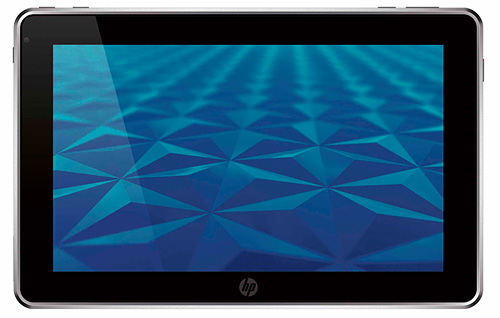 Price: $800
OS: Windows 7
Screen size: 8.9″ widescreen
Storage: 64 GB
Estimated Battery Life: 5 hours
Enter Dell Streak

Price: $550 or $330 with 2 year contract (Update now $99 with contract)
OS: Android
Screen size: 5″ TFT LCD
Storage: Micro SD card slot (16GB pre-installed)
Estimated battery life: 10 hours talk time, 400 hours standby (this thing is also a phone)
Enter Galaxy Tab
 Price: $600 or $400 with contract (update: $299 with some carriers) I have one, It’s great!
OS: Android
Screen size: 7″ wide screen TFT LCD
Storage: Micro SD card slot (16GB pre-installed)
Estimated battery life: 7 hours
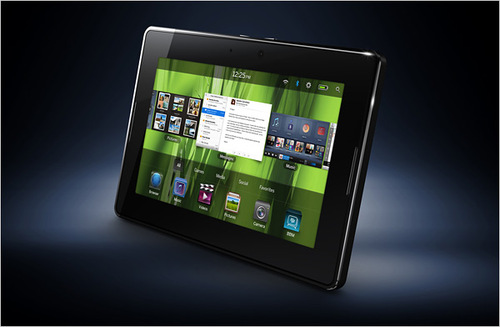 Price: $499-$699
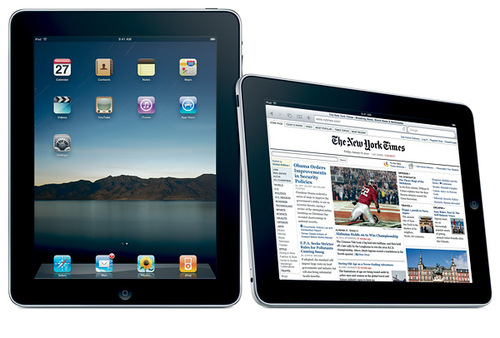 Price: $500-$830
The NEXT Google phone
Google is coming out with a new phone after their first try at mobile communication failed. Their model of sale was going straight to the consumer to bypass retailers. The first phone was called the Nexus one. Spec wise it outdid/does many phones on the market today. (To give you an idea of its power it beat out the Droid in benchmark~ comparative tests.) They had a go with it for about 6 months then the ship went down only to have sold not as nearly as many as they expected. I’ve met a couple of Google employees that didn’t like their phone employer issued phones and actually mentioned they didn’t like it. I’m sure they will love this new phone. It’s currently available at Best Buy for $199 with a new contract on T-Mobile’s network.
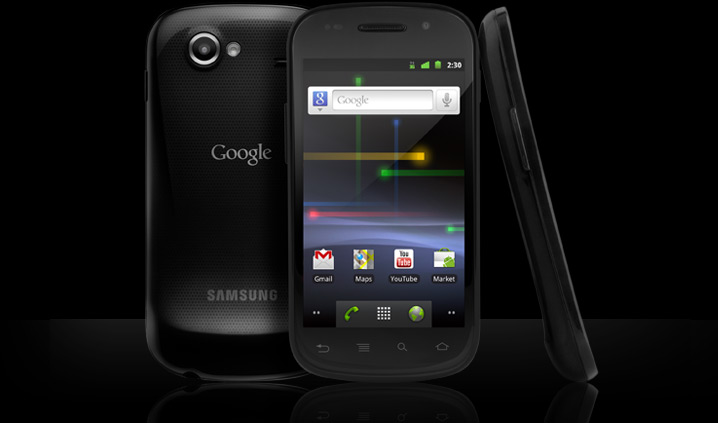
Specs
- Android 2.3 – Gingerbread
- 16GB of built-in memory
- Contour display
- Built-in hotspot capability
Share an Internet connection with others. - The latest Google features
Including YouTube 2.0, Gmail and more. - Built-in Wi-Fi 802.11b/g/n network
- Virtual QWERTY keyboard
- 4″ WVGA display with 480 x 800 resolution
- 5.0MP digital camera with autofocus and flash
Lets you snap photos to share with friends and family. - Google Maps and Google Mobile services
- Built-in MP3 player
- Built-in video player
Lets you watch movies, TV shows and home videos.
- ← Previous
- 1
- 2
- 3
 the urban tech