Google’s Pseudo Apple TV Like Dongle for Your TV – Chromecast
Google announced a dongle that allows you to plug into your HDMI connection of your TV in order to control it from your phone, tablet, or laptop ultimately turning your TV into a wireless “smart” monitor. It’s called Chromecast. With it, you can send your favorites from Google Play, YouTube, Netflix, and Chrome to your TV with the press of a button. The concept is like Apple TV as in you have access to an ecosystem of content on your TV through a portal but you will need to control what is seen through a device other than the dongle. The good thing is that it not only supports Android but iOS, Windows 7, and Mac OS. One of the most appealing things about it is its price, $35! It is available today. I connect my laptop to my TV all the time so this will definitely help. Check it out here, let me know what you think.


Keep Your Devices Charged on the Go!
Link Posted on Updated on
Keep Your Devices Charged on the Go!
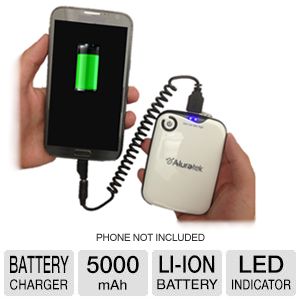
Today only! Get this Aluratek 5000 mAh portable charger for $14.99, originally around $25-$40. If you are constantly looking for an outlet to get a few minutes of juice for your devices, you should get one of these. It is a great price and should charge your smaller devices such as phones up to 3 times with bigger devices such as iPads or other tablets 1-2 times. It takes USB ends so you can utilize your current USB charge cables with this charger. It provides the popular tips also. Go get it! Ends 6/27/13 @ midnight!
Quick! 100 GB Online Storage for Free from Zoolz!
If you are a user of online storage, which everyone should be at this point (back up your data people), you will appreciate this. A company named Zoolz is giving away 100 GB of online storage for free for the 1st 1,000,000 users. Think of a mp3 being about a 4MB file size, they are giving 102,400 MB. The way they are able to store/give so much is that they use “technology” or a way to store based on price of capacity over all, called Cold Storage. Your files are stored in a deep sleep, as I like to call it. It will take some time (3-5hrs) to bring them up for restore purpose after backing it up to the service. But you can access your information when you need it. Access time to your information is the draw back, so think less DropBox and more backup and leave it. For example, they provide thumbnails for pictures that are backed up. It’s a great deal though. You can’t complain about free service, just opt not to use it. 😉 You can backup from your computer drive, external or a networked drive. You can view the files you back up and share them if needed. Best part is no file upload limit!! I’m not sure if there is a time limit on how long the 100GB will be free for the user…to be continued… Check it out. Let me know what you think.
Instagram and FB’s Poke New Competitor? Snapchat
Happy New Year everyone!
Have you ever thought about sending someone a pic that self destruct after it’s been viewed? I couldn’t personally think of a reason to do that unless it involved not taking up space on my phone 🙂 For the people out there who would have other uses for that ability, there is an app for that! (a couple of apps now) Here comes SnapChat. It’s real-time picture chatting the company calls the fastest way to share a moment. Facebook came out with the app Poke that deletes photos also. (pics and vids can be retrieved up to 90 days later) Instagram doesn’t delete. Snapchat is new to the Android and iOS markets. It’s said to be the craze for teens – early 20s crowd. You can set the length the receiver views the picture and can be download it if you want. It informs you if it has been downloaded. The appeal for teens, I’m sure, in some aspect is hiding conversations, vids, or pics from parents …  What do you think?

A Great New App, Calculate on your screen with MyScript Calculator!
You all who use calculators often will like this free new app called MyScript Calculator. This app lets you hand write mathematical expressions using supported mathematical symbols: +, -, ×, /, √, Pi, parentheses, exponentiation. Use your finger or a stylus if you have one for your tablet or phone touch screen and watch the equation seemingly magically appear. The app is currently only for Android phones and is a lot of fun to play with and can be found in the app market on your phone. Check it out!
{Product Review} OmniCharger – Multi Use Battery Charger
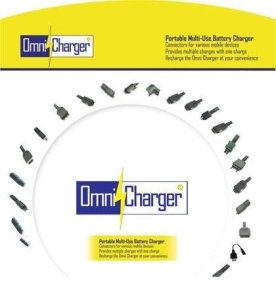
I’m a heavy cell phone user, well really a heavy tech user. There are times that I am using my cell, mp3 player, Android tablet, and a laptop all at once. I know I am not the only one who operates in this manner. 😉 Someone passed along a portable charger product for me to review for a commercial I was looking to produce for it. I started to use it and wanted to share . There are a lot of chargers out there but the OmniCharger is great to use on the go and very versatile because it comes with over 25 interchangeable tips (free) for your many portable electronic needs! I charge my Evo 4g LTE with it and my mp3 players when they are down to the last drop of juice. Out of the many tip options you will also find a tip in the bunch for your old school gadgets too. Don’t forget all 25 tips included free. It does me well and I’m sure it will do you well also. It has a 2200mAh capacity and can be recharged over 1000 times. You can get it from Amazon for the price of a cell phone battery. Check it out!

Received My HTC Evo 4G LTE! & Root Instructions!
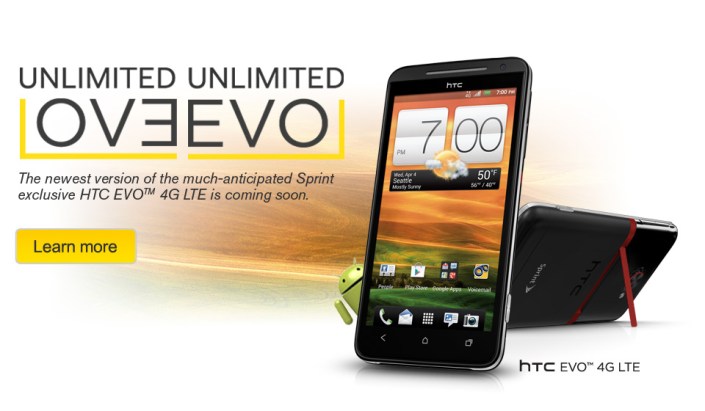
I pre-ordered my phone from Best Buy and finally received the phone after many days of waiting because of U.S. Customs issues. I was able to use the Phone Freedom & Pre Order $50 gift cards for the purchase but I will say it took a fight of 3 hours! I had to prove to the manager that I could use both gift cards for the purchase. Thankfully it was all in writing from BB! 🙂 The phone is a monster. I owned the original Evo but traded it for the Epic because I needed a qwerty keyboard. The screen on the new Evo is so big I can comfortably type with 2 thumbs and now I can say I am satisfied. This phone is so thin you will need some protection so I recommend a hard case and a screen protecter.
Pros:
- 1.5 GHz dual core processor
- 8MP Camera w/flash (can do many frames a second), Front facing 1.3MP camera
- beautiful 4.7inch HD 720p screen
- Android OS 4.0 (Ice Cream Sandwich)
- HTC Sense 4 User Interface (UI)
- Large capacity battery
- A kickstand
- Plus many more!
Cons:
- No LTE currently, only operates on the 3G for now which is slow
- 3G doesn’t want to stay connected all the time. Randomly turns off.
- Network seems a bit wacky, my signal goes from 2 bars to 5 bars to no bars then to roaming often.
- Audio at times goes from loud to soft, I’m sure the Beats Audio equalizing has something to do with that. Gets annoying.
This is what I’ve found while on my 2nd day of playing with the phone. I’m sure things will get better with the networkwhen Sprint finishes out its Now Network build. There is already root access for the phone and is simple to do. Overall it’s a great phone. If you have any questions shoot me an email, Thanks! .Root information below thanks to the good folks over at XDA Developers: Link for download
For Windows, update drivers using driver files below then double-click on runme.bat.
For Linux, no drivers needed, unzip Evo4GLTERoot.zip to your Downloads directory then open up a terminal and do:
cd Downloads/Evo4GLTERoot
chmod 755 *
sudo ./adb-linux devices
Then do:
sh runmelinux.sh
For Mac, no drivers needed, unzip Evo4GLTERoot.zip to your Downloads directory then open up a terminal and do:
cd Downloads/Evo4GLTERoot
chmod 755 *
sh runmemac.sh
Apple’s HDTV? Here comes iTV!
Well it’s coming eventually..in 2013 maybe. Confirmed by the Chairman over at Foxconn, iTV is on the way. Chairman Gou also states that “neither development nor manufacturing has begun.” According to TechCrunch.com from China Daily the television set will have an aluminum construction, Siri voice controls and FaceTime video calling. That sounds interesting. It seems like it will be an iPhone, Apple TV (which is basically a terminal), and an iMac all rolled into one. No word on possibly pricing but just know it will be on par with Apple’s usual pricing: high because they can and want to be! I’ll keep you posted.

Will This Technology Kill TV?
Have you heard of BitTorrent? Well if you haven’t is it an open source peer-2-peer file transfer protocol. Think along the lines of Napster if that helps. People usually use this protocol to download huge files. The maker of this specific protocol has come out with another open source protocol which allows someone to stream video peer-2-peer. He says he has been hacking away at the engineering for this protocol for the last 3 years and it will connect someone directly to a video stream that will allow millions of viewers at a time. So what does this mean? It means a change in the distribution of content. Instead of going through a TV network to get your content out or even a site like uStream or LiveStream, you have access to anyone you want with no middle man and at minimal cost. All that’s needed is a 1 time small file download then it works in your browser after that. The maker is working on the packaging of the protocol to allow anyone to use it. I’ll be looking out for it. You can check the beta out now at BitTorrent Live .
Transfer files from Computer to iPhone with this App for Free
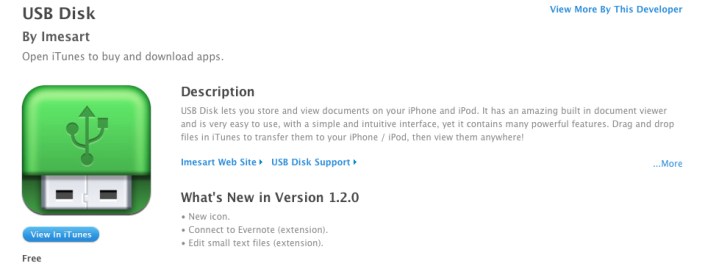
Have you ever wanted to transfer docs or picture files to your iPhone from your computer or read your Word documents on the go? I was browsing around the net and found this app. It’s called USB Disk and currently free but has a $2.99 “pro” version which has added benefits like outputting to a TV or connecting to a FTP server. For the usual person the free version will meet your needs. I don’t know how long it will be free but it’s a great utility to have on the go! Get it while its hot! No jail breaking needed…Click the link… USB Disk
 the urban tech