Present Tech
Google’s Pseudo Apple TV Like Dongle for Your TV – Chromecast
Google announced a dongle that allows you to plug into your HDMI connection of your TV in order to control it from your phone, tablet, or laptop ultimately turning your TV into a wireless “smart” monitor. It’s called Chromecast. With it, you can send your favorites from Google Play, YouTube, Netflix, and Chrome to your TV with the press of a button. The concept is like Apple TV as in you have access to an ecosystem of content on your TV through a portal but you will need to control what is seen through a device other than the dongle. The good thing is that it not only supports Android but iOS, Windows 7, and Mac OS. One of the most appealing things about it is its price, $35! It is available today. I connect my laptop to my TV all the time so this will definitely help. Check it out here, let me know what you think.


Quick! 100 GB Online Storage for Free from Zoolz!
If you are a user of online storage, which everyone should be at this point (back up your data people), you will appreciate this. A company named Zoolz is giving away 100 GB of online storage for free for the 1st 1,000,000 users. Think of a mp3 being about a 4MB file size, they are giving 102,400 MB. The way they are able to store/give so much is that they use “technology” or a way to store based on price of capacity over all, called Cold Storage. Your files are stored in a deep sleep, as I like to call it. It will take some time (3-5hrs) to bring them up for restore purpose after backing it up to the service. But you can access your information when you need it. Access time to your information is the draw back, so think less DropBox and more backup and leave it. For example, they provide thumbnails for pictures that are backed up. It’s a great deal though. You can’t complain about free service, just opt not to use it. 😉 You can backup from your computer drive, external or a networked drive. You can view the files you back up and share them if needed. Best part is no file upload limit!! I’m not sure if there is a time limit on how long the 100GB will be free for the user…to be continued… Check it out. Let me know what you think.
{Product Review} OmniCharger – Multi Use Battery Charger
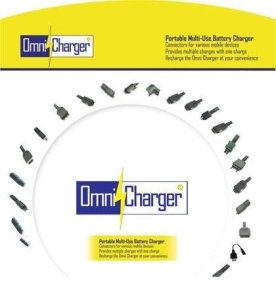
I’m a heavy cell phone user, well really a heavy tech user. There are times that I am using my cell, mp3 player, Android tablet, and a laptop all at once. I know I am not the only one who operates in this manner. 😉 Someone passed along a portable charger product for me to review for a commercial I was looking to produce for it. I started to use it and wanted to share . There are a lot of chargers out there but the OmniCharger is great to use on the go and very versatile because it comes with over 25 interchangeable tips (free) for your many portable electronic needs! I charge my Evo 4g LTE with it and my mp3 players when they are down to the last drop of juice. Out of the many tip options you will also find a tip in the bunch for your old school gadgets too. Don’t forget all 25 tips included free. It does me well and I’m sure it will do you well also. It has a 2200mAh capacity and can be recharged over 1000 times. You can get it from Amazon for the price of a cell phone battery. Check it out!

Received My HTC Evo 4G LTE! & Root Instructions!
I pre-ordered my phone from Best Buy and finally received the phone after many days of waiting because of U.S. Customs issues. I was able to use the Phone Freedom & Pre Order $50 gift cards for the purchase but I will say it took a fight of 3 hours! I had to prove to the manager that I could use both gift cards for the purchase. Thankfully it was all in writing from BB! 🙂 The phone is a monster. I owned the original Evo but traded it for the Epic because I needed a qwerty keyboard. The screen on the new Evo is so big I can comfortably type with 2 thumbs and now I can say I am satisfied. This phone is so thin you will need some protection so I recommend a hard case and a screen protecter.
Pros:
- 1.5 GHz dual core processor
- 8MP Camera w/flash (can do many frames a second), Front facing 1.3MP camera
- beautiful 4.7inch HD 720p screen
- Android OS 4.0 (Ice Cream Sandwich)
- HTC Sense 4 User Interface (UI)
- Large capacity battery
- A kickstand
- Plus many more!
Cons:
- No LTE currently, only operates on the 3G for now which is slow
- 3G doesn’t want to stay connected all the time. Randomly turns off.
- Network seems a bit wacky, my signal goes from 2 bars to 5 bars to no bars then to roaming often.
- Audio at times goes from loud to soft, I’m sure the Beats Audio equalizing has something to do with that. Gets annoying.
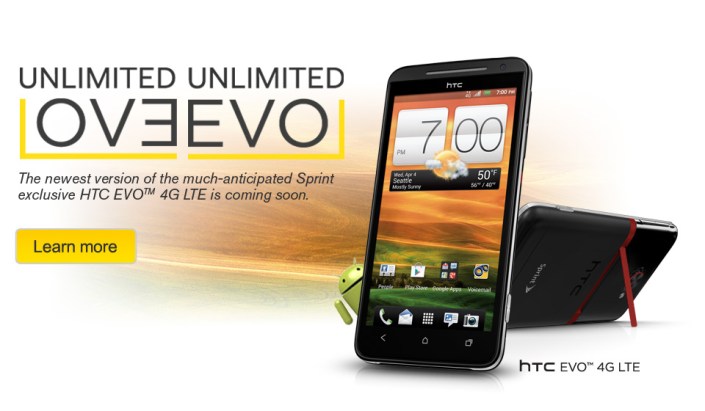
This is what I’ve found while on my 2nd day of playing with the phone. I’m sure things will get better with the networkwhen Sprint finishes out its Now Network build. There is already root access for the phone and is simple to do. Overall it’s a great phone. If you have any questions shoot me an email, Thanks! .Root information below thanks to the good folks over at XDA Developers: Link for download
For Windows, update drivers using driver files below then double-click on runme.bat.
For Linux, no drivers needed, unzip Evo4GLTERoot.zip to your Downloads directory then open up a terminal and do:
cd Downloads/Evo4GLTERoot
chmod 755 *
sudo ./adb-linux devices
Then do:
sh runmelinux.sh
For Mac, no drivers needed, unzip Evo4GLTERoot.zip to your Downloads directory then open up a terminal and do:
cd Downloads/Evo4GLTERoot
chmod 755 *
sh runmemac.sh
Transfer files from Computer to iPhone with this App for Free
Have you ever wanted to transfer docs or picture files to your iPhone from your computer or read your Word documents on the go? I was browsing around the net and found this app. It’s called USB Disk and currently free but has a $2.99 “pro” version which has added benefits like outputting to a TV or connecting to a FTP server. For the usual person the free version will meet your needs. I don’t know how long it will be free but it’s a great utility to have on the go! Get it while its hot! No jail breaking needed…Click the link… USB Disk
A Tool that Everyone Can Use in the New Year!
Happy New Year everyone! I’ve found a late Christmas present for you! I know some of you vow to do better with your finances this year and for that I bring to you CreditKarma.com . This site gives you FREE daily credit monitoring. CreditKarma was founded in 2008 and is now growing at a high rate of subscribers per day since they’ve added their free daily credit score monitoring. The “pro” is that it’s free and the “con” is that it uses one credit bureau. I’ve only seen scores from TransUnion. The site can offer your information to you free because it advertises on your page. For example they would show/offer you lower interest rate credit cards and auto insurance. I know something that may scare some of you is that they need the last 4 digits of your social security number when you sign up. They say they don’t sell any of your information. Check it out! I have and it gets a thumbs up from me. 😉
Share this info with anyone you think may want it, don’t be stingy….share the knowledge

Stanford University to Offer Free Online Courses!
For anyone interested in a few technology and techpreneur (my word) classes, Stanford is offering a few of them for free. I don’t know for how long but they will be great to take. The classes aren’t for any credit but they are instructed by Stanford professors. Everyone interested in them should check them out. I’ve signed up for a few already. Classes start in February, don’t forget your apple! 🙂

Courses Offered:
Entrepreneurship: Lean Launchpad, Technology Entrepreneurship
Computer Science: Computer Science 101, Machine Learning, Software as a Service, Human-Computer Interaction, Natural Language Processing, Game Theory, Probabilistic Graphical Models, Design and Analysis of Algorithms I
Get the HP TouchPad here! ($149/32GB) (sold out)
Hello, HP started a fire sale a few days ago because they are discontinuing the WebOS operating system. I’ve looked everywhere but you can get it at this link on HP’s website. They are selling the tablets for $99/16GB and $149/32GB. The secret is that it’s in the business section and they only have the 32gb option available. Get it while you can! Keep trying if you see an error page or runs really slow.
The War That’s Fought At Their Finger Tips (Updated)
Some of you may know them as the group who brought down the PlayStation Network, others may know them as the people who broke into the Senate.gov site and also took down the CIA site. Or maybe for another demographic, you may know then as the people who defaced the PBS.org site with the fake Tupac is alive in New Zealand article. They call themselves Hackivists. They are Lulz Security or LulzSec for short. It’s said they hack to expose the vulnerabilities in order for the violated to strengthen their security, for the public to be made aware of things that shouldn’t be or be private, and of course amusement. Hacking for vulnerabilities sake is effective but at a cost. We really aren’t as secure online as we think. Some might say a false sense of security is better then none at all.  What’s your take?

LulzSec launched an anti-government crusade on 6/19. Another known hacking group known as Anonymous has joined them. We shall see what to make of this.
Operation Anti-Security (Check it out)
A few of their tweets:
LulzSec The Lulz Boat
Your tax money is being used to pay for things to not be secured so that people like us can take what you expect to be kept inaccessible.
LulzSec The Lulz Boat
@FBIPressOffice Also, we pissed in your cheerios.
LulzSec The Lulz Boat
Operation Anti-Security is in effect. Join the fleet and tear the government and whitehat peons limb from limb – #antisec winds are strong.
Now you know, but be vigilant and keep your information as “guarded” as you can.
1900’s Music the 21st Century Way: The National Jukebox
Thanks to The Library of Congress and Sony we now have the oldies to enjoy. When I say oldies I mean OLDIES! Scores of original recordings have been digitized and readied for your listening pleasure and made available free of charge to the public on the Library of Congress Jukebox site. The library recordings currently stretch from the year 1901 to 1925 and is expanding; from around the world. There are recordings ranging from ethnic characterizations, monologues, classical music, popular music, religious (including negro spirituals), and spoken word. There are all sorts of interesting things to listen to and could be used as an educational tool. They do disclaim that “these historical recordings may contain offensive or inappropriate language”….I Bet. A few interesting ones I’ve found: (click to listen, will take you to the Library of Congress page)
Swing low, sweet chariot (1909) 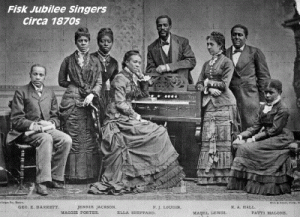

Nobody knows de trouble I’ve seen (1924)
Little David, play on yo’ harp (1909)
If you talk in your sleep, don’t mention my name (interesting…. o_O)
 the urban tech